⚡ Auto-Enabled by Default (Zero Setup)
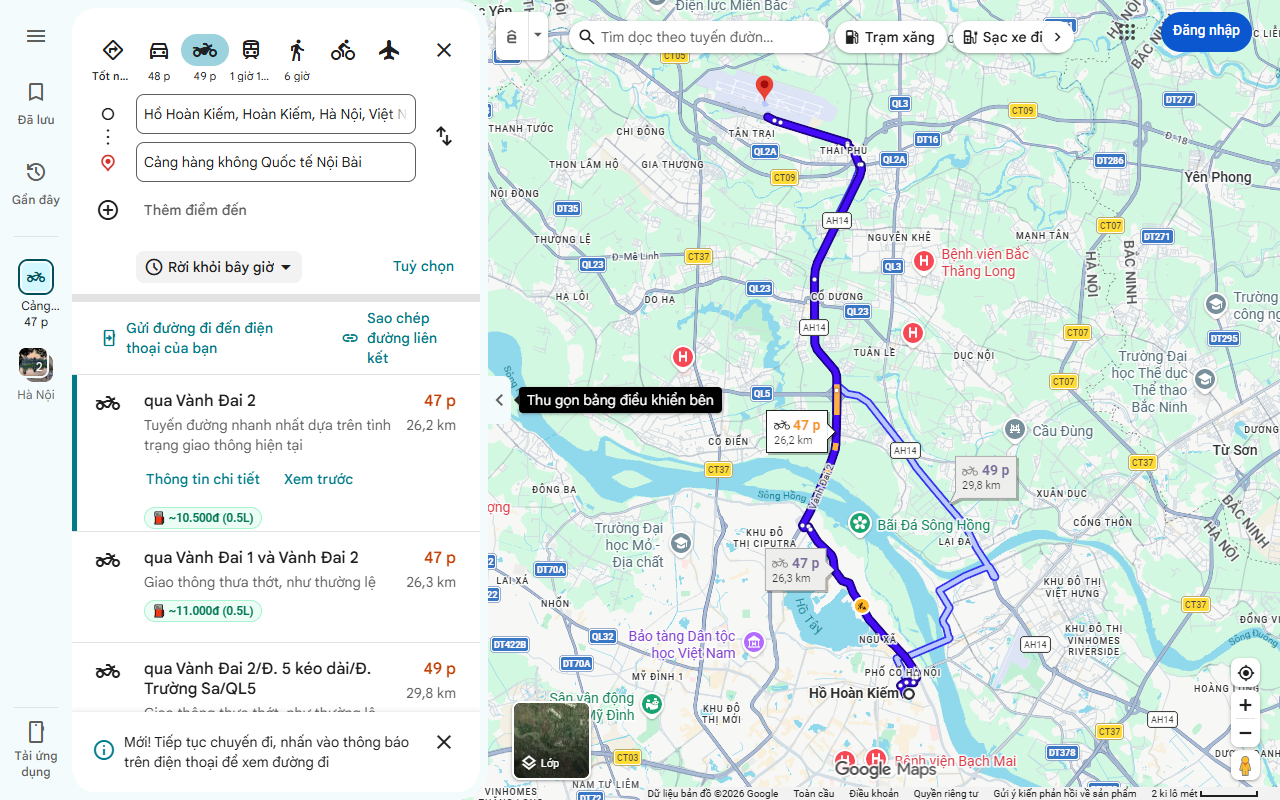
Install once and open google.com/maps on your desktop. Motorcycle mode (🏍️) is automatically selected for new directions — or simply click the motorcycle icon right next to the Car icon.
Stop using Car directions on your PC and accidentally riding onto restricted expressways. Bring Google Maps' official Two-Wheeler (🏍️) button right to your desktop browser — enabled automatically by default!
Works seamlessly across Vietnam, India, Indonesia, Philippines, Taiwan, Malaysia, Thailand, and every region supporting Two-Wheeler routing.
Install once and open google.com/maps on your desktop. Motorcycle mode (🏍️) is automatically selected for new directions — or simply click the motorcycle icon right next to the Car icon.
Uses Google's genuine Two-Wheeler routing engine so you never get routed onto car-only highways, tunnels, or tollways that prohibit motorcycles and scooters.
Calculates accurate ETAs based on real-time two-wheeler traffic speeds and narrow-lane shortcuts that car navigation ignores.
Displays estimated fuel liters and trip cost right underneath every route card, customizable to your scooter or motorcycle's L/100km efficiency.
This extension is maintained completely free of charge with zero ads or tracking. If it helps you plan safer rides, please leave a 5-star review on the Chrome Web Store or buy the author a coffee!